
How To Play Scrabble Online
📖 Table of Contents
- Getting Started: Setting Up Your Online Scrabble Game
- Understanding the Rules: How Scrabble Works Online
- Playing the Game: A Step-by-Step Guide
- Strategies for Winning: Tips to Improve Your Game
- Learning Through Play: The Educational Benefits of Scrabble Online
- Making It a Shared Experience: Playing with Others
- Staying Motivated: Tips to Keep Playing
- Make It Your Way
- Frequently Asked Questions
I still remember the first time I played Scrabble online with my 12-year-old nephew — we were both hunched over our laptops, eyes glued to the board, trying to outmaneuver each other with words like 'zygotes' and 'quinoa.' It was both hilarious and oddly educational. It sparked a curiosity in me about how this classic game translates so seamlessly into the digital world. Learning how to play Scrabble online isn’t just about fun, though; it’s about language, strategy, and even a little bit of math. For educators, parents, and lifelong learners, it’s an accessible, engaging tool that fits right into the digital age.[1]
I’ve played Scrabble in person for years — on kitchen tables, in classrooms, and even during game nights with friends — but nothing compares to the flexibility that comes with playing online. No need to worry about losing tiles, no need to argue over the dictionary, and no need to wait for someone else’s turn. It’s all right there, instantly, and it’s something I’ve found incredibly helpful for teaching kids, especially those who are more comfortable with screens than with paper and plastic tiles. For me, learning how to play Scrabble online was a game-changer, and I’m excited to share how to make it work for you.[4]
The internet has made Scrabble more accessible than ever before. Whether you’re an educator looking for a new classroom activity, a parent trying to connect with your child over a shared interest, or a language learner looking for a fun way to expand your vocabulary, there’s a version of Scrabble online that suits your needs. I’ve spent the past few months exploring the world of online Scrabble. I’m here to tell you that it’s not just about playing the game — it’s about learning, growing, and having fun along the way.
Why You'll Love This Educational Game
- Develops vocabulary and spelling skills in a fun and engaging way
- Encourages strategic thinking and planning ahead
- Improves cognitive abilities like pattern recognition and problem-solving
- Provides a shared learning experience that can be done from anywhere
Getting Started: Setting Up Your Online Scrabble Game
As of September 2026, getting started with online Scrabble is one of the easiest parts of the process. I’ve used platforms like Wordfeud, Scrabble Go, and even the official Scrabble app. All you need is a smartphone, tablet, or computer, and a stable internet connection. I usually recommend starting with a free version of the game to get a feel for the interface and the rules.[2]
Once you’re on the platform, creating a profile is typically a quick process — just enter your name and, in some cases, your age or skill level. Some platforms even allow you to customize your avatar, which can be a fun way to personalize your experience. I’ve found that customizing your avatar helps kids feel more connected to the game and more motivated to play.
After setting up your profile, the next step is to find an opponent. Some platforms allow you to play against friends, while others match you with a random player. I’ve found that playing with friends is more engaging, especially for kids, but if you’re looking to challenge yourself, random matches can be a great way to improve your skills.
Try a few different platforms to see which one you like best. Look for features like customizable avatars, voice chat, and easy setup.
Part of our Learning games by age grade guide.
Understanding the Rules: How Scrabble Works Online
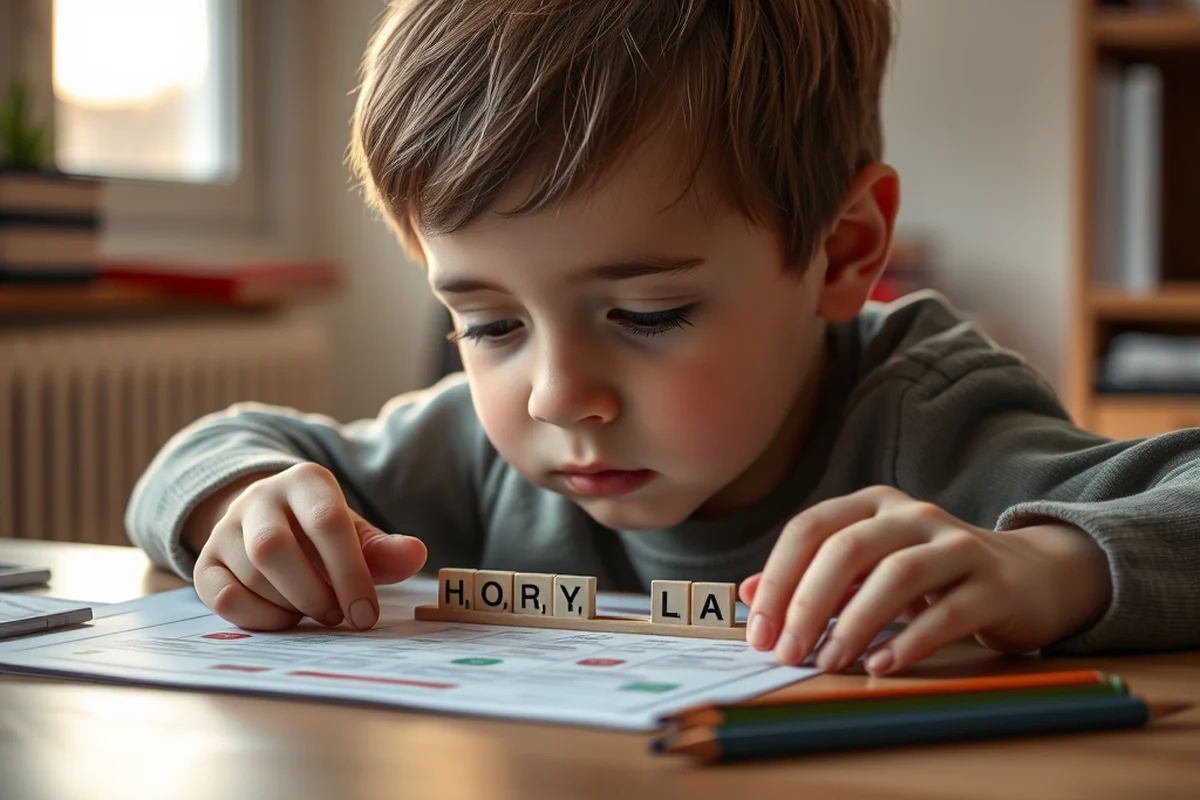
I was initially worried that playing Scrabble online might be different from the physical version, but I quickly found out that the rules are the same — just played with digital tiles. The game is played on a virtual board with 15x15 squares, and each player takes turns placing their tiles to form words. The scoring system is identical, with each letter having its own point value and bonus squares available for extra points.
One of the key advantages of playing online is that the platform automatically calculates your score and keeps track of your moves. I used to play with friends where we had to manually tally points at the end of the game, and it was always a bit confusing. Online Scrabble eliminates that stress and makes the process much smoother.
Another thing I noticed is that most platforms have a built-in dictionary to check if a word is valid. I’ve played with kids who were unsure if a word was allowed, and it’s reassuring to know that the platform can check that for them instantly.
Online Scrabble is the same game, just faster and more accurate.
Related: Learning games grade checklist
Playing the Game: A Step-by-Step Guide
Once you’re in the game, the process is straightforward. You’ll see a set of tiles in your rack, and you can drag and drop them onto the board. I found that it takes a bit of practice to get the hang of placing tiles correctly, but once you do, it becomes second nature. Most platforms also allow you to move tiles around if you make a mistake, which is a helpful feature.
After placing your tiles, the game will automatically check if the word is valid and update your score. If you’re not sure about a word, you can use the dictionary feature to verify it. This is especially useful for younger players who are still building their vocabulary. I’ve used this feature with my nephew, and it’s been a great learning tool for him.
Once you’ve placed your tiles, it’s your opponent’s turn. You can watch them place their tiles and see the board update in real time. I’ve found that this kind of instant feedback is a huge advantage of online Scrabble — it makes the game more dynamic and engaging.
The more you play, the better you’ll get. Don’t be discouraged if you lose the first few games — it’s all part of the learning process.
“I still remember the first time I played Scrabble online with my 12-year-old nephew — we were both hunched over our laptops, eyes glued to…”— Sneakylearn editors
Related: Quick learning games grade
Strategies for Winning: Tips to Improve Your Game

I’ve learned that winning at Scrabble online isn’t just about knowing a lot of words — it’s also about strategy. I recommend focusing on high-value letters like Q, Z, and X, and trying to place them on double or triple letter score squares. This can help you gain more points quickly.[3]
Another tip I’ve picked up is to plan your moves ahead of time. Instead of just placing any word, think about how it can help you in the long run. I often look at the board and visualize different combinations before making a move. This has helped me improve my scores over time.
Lastly, don’t be afraid to challenge your opponent. If you think they’ve made a mistake, you can flag their move and ask them to explain it. This is a great way to learn from others and improve your own skills.
Related: Learning games by age grade that actually work
Learning Through Play: The Educational Benefits of Scrabble Online
I’ve noticed that Scrabble online is more than just a game — it’s a learning experience in disguise. It helps build vocabulary, improves spelling, and even enhances cognitive skills like strategic thinking and pattern recognition. I’ve used it with my nephew to help him improve his spelling, and I’ve seen real progress over time.
Another benefit is that it helps with language learning. I’ve played with friends who are learning English, and it’s been a great way for them to practice new words in a fun and engaging way. The instant feedback from the dictionary feature is especially helpful for learners who are still building their vocabulary.
I’ve also found that Scrabble online is a great way to teach kids about planning and decision-making. It requires you to think ahead and consider your moves carefully, which is a valuable life skill. I’ve seen my nephew become more strategic and patient after playing the game regularly.
Related: Learning games by age grade step by step
Making It a Shared Experience: Playing with Others
One of the best things about Scrabble online is that it can be played with others — whether it’s friends, family, or even classmates. I’ve played with my nephew over video calls, and it’s been a great way for us to bond and learn from each other. It’s also a great way to get kids involved in learning without making it feel like a chore.
If you’re playing with a group, you can split the tiles and take turns placing them on the board. This can be a fun way to involve multiple players and make the game more dynamic. I’ve found that this kind of collaborative play is especially beneficial for younger kids, as it helps them develop social skills and teamwork.
Another advantage of playing with others is that it creates a sense of competition and camaraderie. I’ve noticed that when my nephew plays with friends, he becomes more motivated to learn and improve. It’s a great way to turn learning into a shared experience.
Learning with others is always more fun.
Related: Learning games by age grade mistakes to avoid
Staying Motivated: Tips to Keep Playing
I’ve found that staying motivated to play Scrabble online can be challenging, especially if you’re not used to it. One way to keep yourself motivated is to set small goals — like aiming to play a certain number of games each week or trying to use a certain number of new words in each game. I’ve used this approach with my nephew, and it’s helped us both stay engaged.
Another tip is to make the game a regular part of your routine. I’ve found that playing Scrabble online a few times a week helps keep the brain active and improves vocabulary over time. It’s also a great way to make learning feel like a game rather than a task.
Lastly, don’t be afraid to ask for help or advice. I’ve played with friends who are more experienced, and they’ve helped me improve my skills. It’s a great way to learn from others and stay motivated.
🧮 Younger Kids Version
Simplify the rules and use a smaller board with fewer tiles to make the game more accessible for younger players.
🧠 Older Kids Version
Introduce more complex words and challenge players with higher-level vocabulary to keep the game engaging for older kids.
🧾 No-Prep Version
Use the online version without any physical materials — just a device and an internet connection to get started.
👥 Group Version
Invite multiple players to the game and take turns placing tiles to make it a collaborative experience.
📚 Extension Activity
After playing, use the words from the game to create a vocabulary list or write a short story to reinforce learning.
| The mistake | Why it happens | The fix |
|---|---|---|
| Not checking the dictionary before playing | Using an invalid word can cost you points and make the game unfair for others. | Always check the built-in dictionary before placing a word on the board to ensure it’s valid. |
| Focusing too much on one area of the board | This can limit your options and make it harder to form new words. | Try to spread out your tiles and use the entire board to maximize your points. |
| Not planning ahead | Failing to plan your moves can lead to missed opportunities and lower scores. | Take a moment to think about your next move and visualize different combinations before placing your tiles. |
| Ignoring the bonus squares | Bonus squares can give you extra points, but if you don’t use them, you’re missing out on potential rewards. | Try to place your tiles on double or triple letter and word score squares to maximize your points. |
How To Play Scrabble Online
Common Questions
Can I play Scrabble online with my friends?
How long does a game of Scrabble online take?
Is Scrabble online free to play?
Can I use Scrabble online for classroom activities?
References
- Scrabble star Zachary Ansell has a way with words (artsci.case.edu)
- Senior Activity Center - City of Auburn (auburnwa.gov)
- 15 Fun & Easy ESL Games for Adults - Bridge Education Group (bridge.edu)
- Adult & Senior Programs | City of Bryan - Bryantx.gov (bryantx.gov)
Cite this guide
Sneakylearn (2026). How To Play Scrabble Online. https://sneakylearn.com/how-to-play-scrabble-online/
Feel free to cite or share this guide.